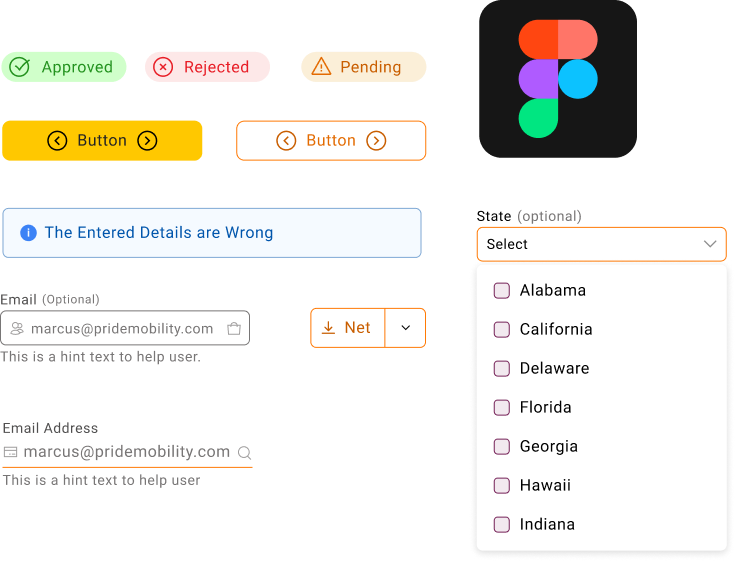
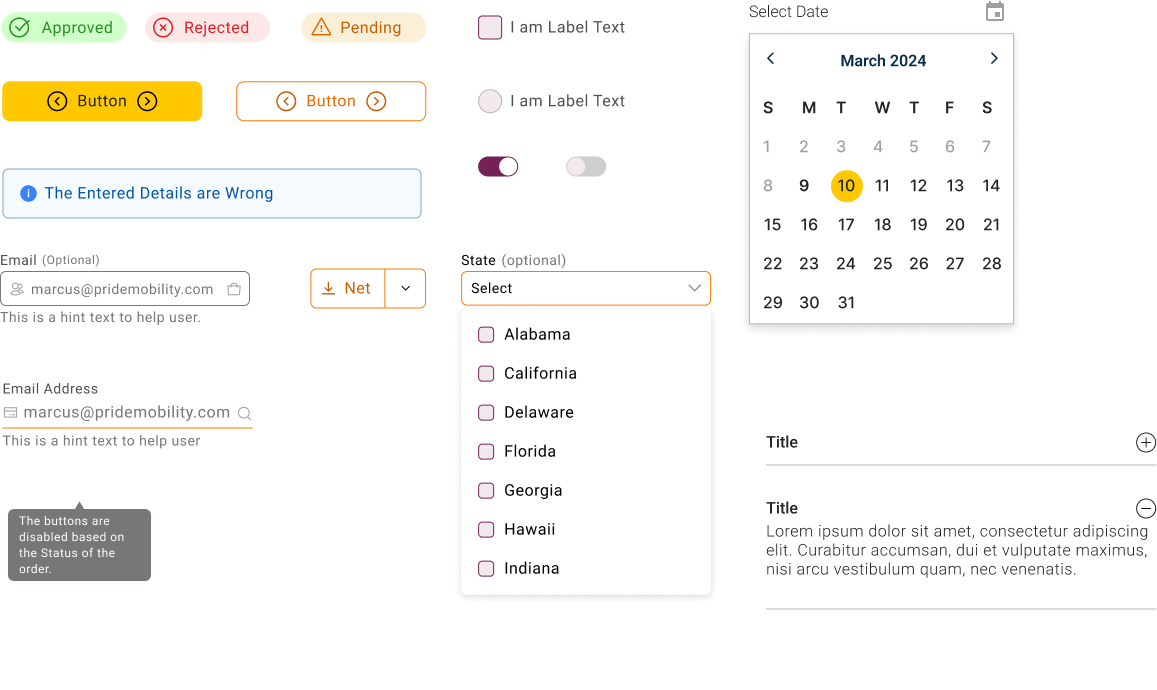
As Pride Mobility’s digital ecosystem expanded across e-commerce, dealer portals, and enterprise workflows, inconsistencies began to surface — inconsistent components, duplicate styles, accessibility gaps, and slower design-to-development cycles.
A design system was created to:
Instead of designing screens repeatedly, the focus shifted to designing a system that designs screens.
The goal was not visual uniformity — it was operational efficiency at scale.
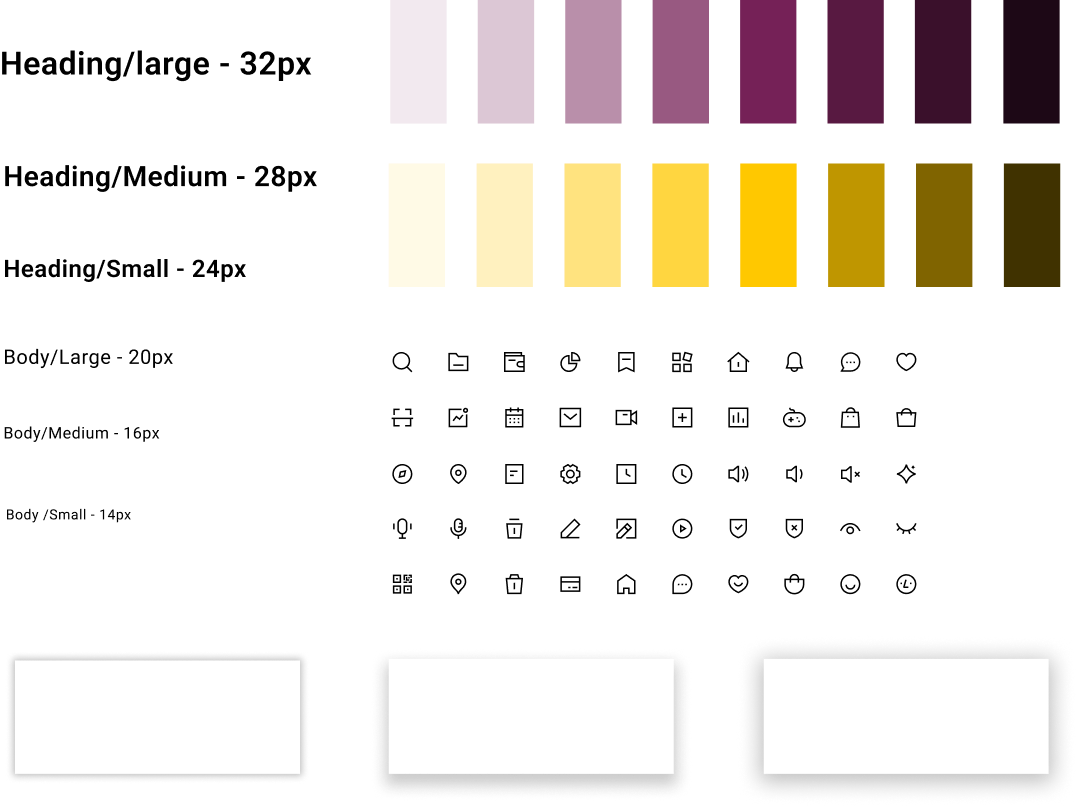
Before creating components, foundational rules were defined. These act as the structural DNA of the system.
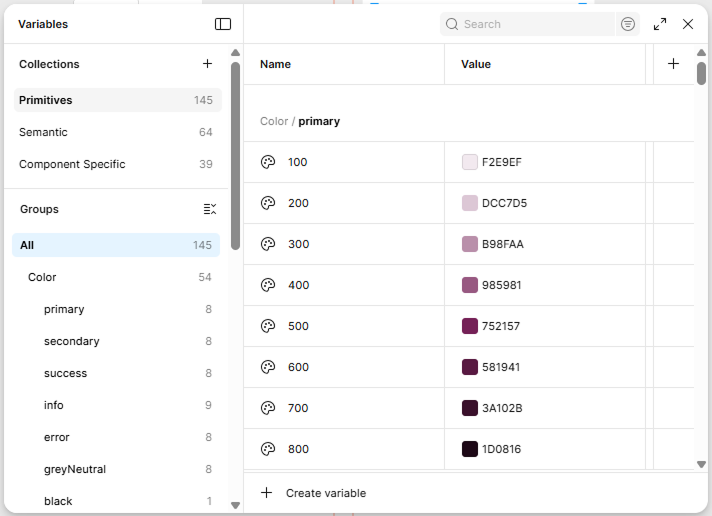
Color ramp example:
Example:
Icons were treated as components — not loose assets.
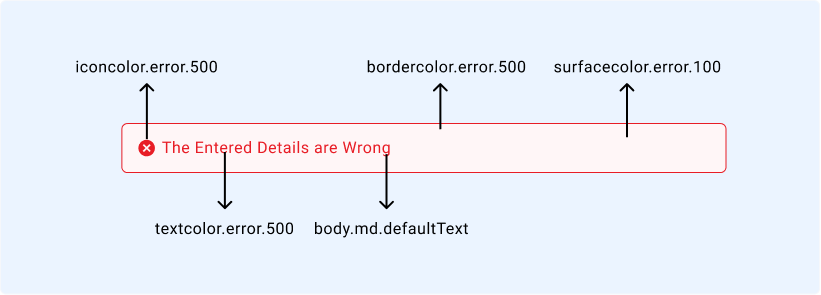
Design tokens were introduced to bridge design and development.
A design token is a named value that stores design decisions in a scalable and reusable format.
Instead of:
We use:
Primitive Tokens
Semantic Tokens
Component-Specific Tokens
Breakdown:
Tokens separate design decisions from visual values — enabling theming, dark mode, and future scalability.
Using Figma Variables, tokens were structured into collections:
Flow:
Primitive → Semantic → Component
Example mapping:
This ensured:
If brand color changes, update once — system updates everywhere.
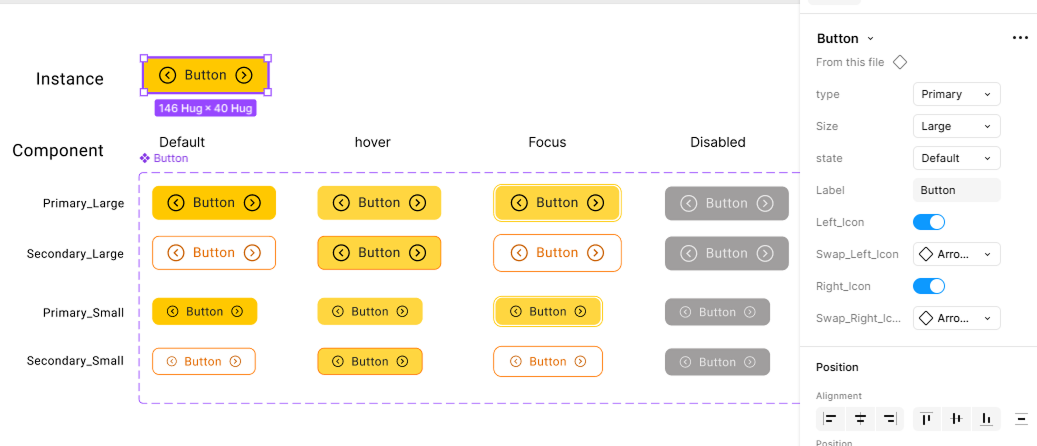
Components were structured using variants for scalability:
Instead of 40 separate components, one scalable variant system was created.
Properties were defined for flexibility without detaching components.
1️. Text Property
Used for:
2. Boolean Property
Used for:
3️. Instance Swap
Used for:
The goal was controlled flexibility — not uncontrolled customization.
The Pride Mobility Design System transformed fragmented UI efforts into a unified, scalable architecture.
Impact:
This was not just a UI library.
It was a scalable product infrastructure.